One platform for everything a school does.
Admissions, records, attendance, teaching, pastoral care, operations, finance and the website. One data model underneath all of it, and no integration to maintain, because there is nothing to integrate.
Staff, students and parents sign in with the school account they already have. Workspace Groups are the permission model, Classroom stays Classroom and Drive stays Drive. There is no second directory to maintain.
Adding someone to a group grants access. Removing them revokes it. Nobody maintains a second password list.
A school runs on seven systems that were never designed to meet.
Each one is competent alone.
Together they produce the single biggest source of wasted staff time in a school: re-entering data that already exists somewhere else.
The same child, six times
A family enquires on the website, lands in the CRM, applies in the admissions portal, enrols in the SIS, then appears again in the timetabler, the learning journal and the careers platform. Seven records, seven chances to diverge.
Nothing knows what anything else knows
The cover system cannot see the absence. The report cannot see the intervention. The inspection file cannot see any of it, so somebody assembles it by hand against a short notice period.
Staff route around all of it
Spreadsheets, WhatsApp groups and personal folders appear wherever the software is slower than the workaround. That is where the real school data ends up living.
The whole school, in one system.
One record per person.
One place a decision gets made.
One audit trail behind it.
Fully integrated
A child exists once, as an enquiry, an applicant, a pupil and an alumnus. Every department reads the same record. Nothing is re-keyed, because there are no other systems to key it into.
Deeply automated
An approved leave request writes the attendance record, which triggers cover, which builds the cover sheet from the absent teacher's own lesson plan, which notifies the department head. One action, one chain, no chasing.
Designed around people
Every screen was specified from the behaviour it needs to produce, not the data it needs to capture. Registers default to present. The correct action is the fastest one.
The commercial engine, built first.
Leads, applications, assessment days and offers move through nine tracked states across board, list, leads and events views, all reading the same records. Website enquiries land in the queue already classified and assignable to a named officer.
Faces, not reference numbers.
A photograph, year group, age, admission number and status on every card, grouped by year group or key stage the moment you need it that way. One search box answers to name, guardian email, phone or admission number, because those are the four things a parent on the telephone can actually tell you.
A register a teacher finishes in forty seconds.
Present is the default, so staff mark only the exceptions and the fastest path through the screen is also the accurate one. Reasons are captured where they are known, changes save as they are made, and the statutory reporting is computed alongside the register rather than assembled from it later.
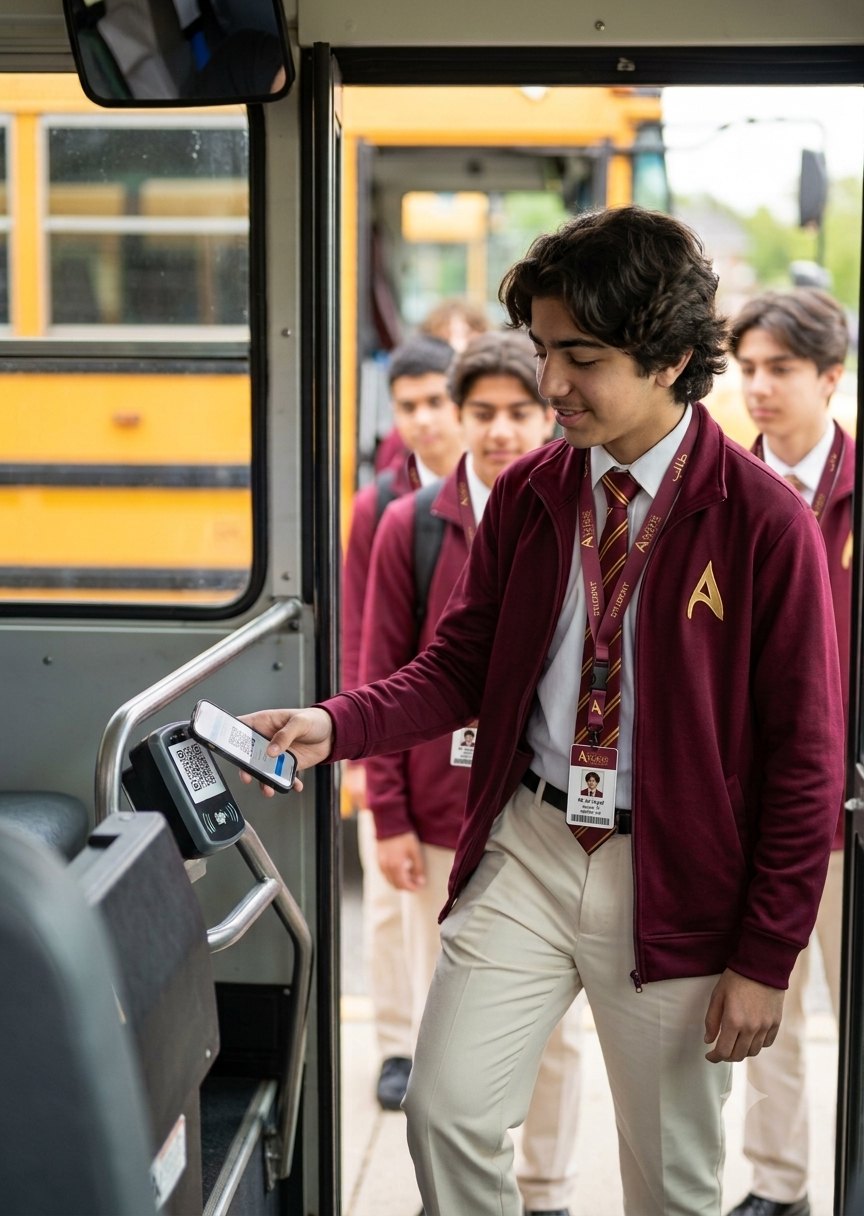
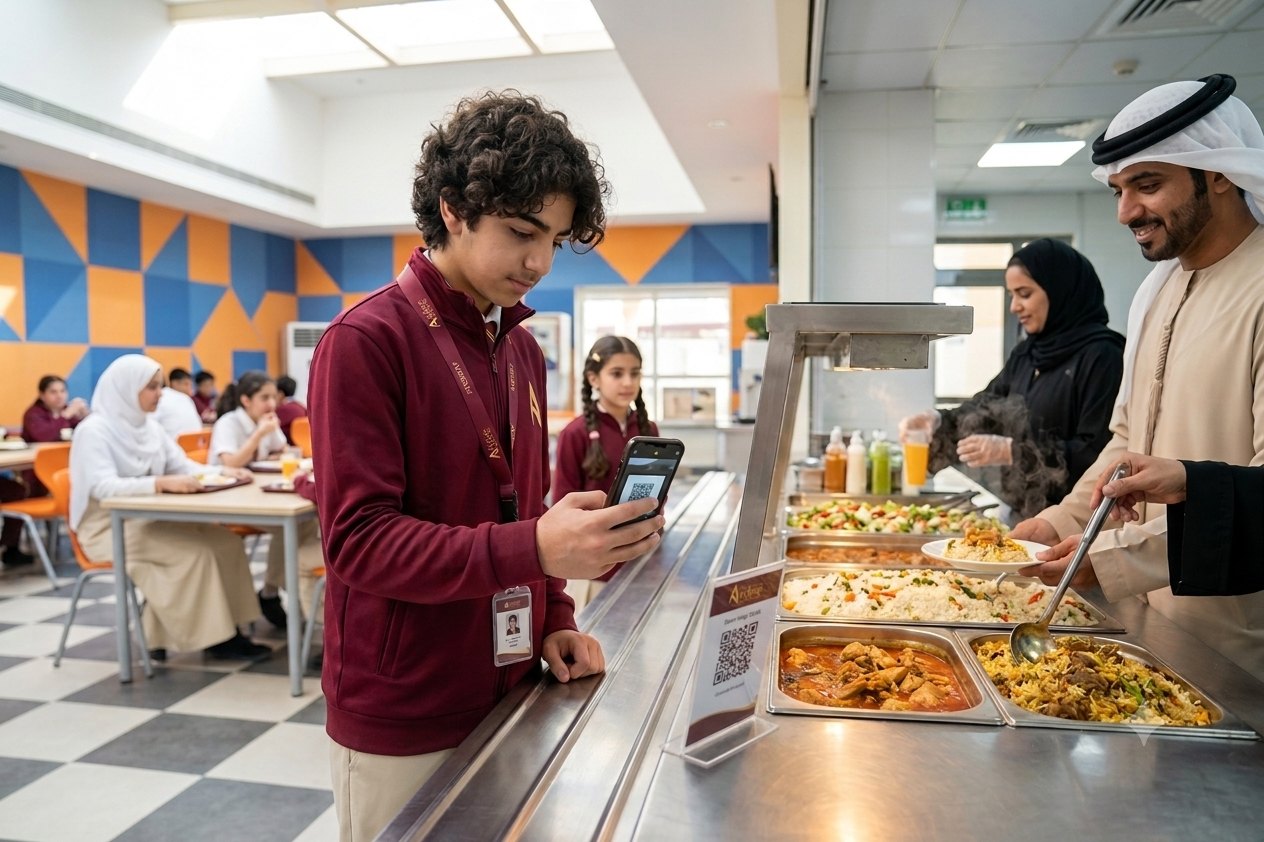
One code. Five jobs. No new cards.
A single scannable identity per person, issued once at enrolment, replaces five separate cards and five separate systems.
- Transport. Scan on and scan off. One logged delay adjusts every affected attendance flag and notifies every affected parent.
- Canteen. Cashless and allergy-aware, with a food-only overdraft so a child always eats.
- Events. Open days and assessment days check in by scan, feeding live actual against expected per entrance.
- Library. Loans and returns without a separate card or a separate system.
- Security. Patrol checkpoints evidenced by scan, so a patrol proves it happened.
Fourteen areas. One system.
Fourteen areas of a school, on one data model.
Every one of them reads the same record and answers to the same permission system.
Admissions and CRM
Enquiry to enrolment in one pipeline, with the lead funnel, assessment days and offers in the same place as the record they create.
ExploreStudent records and pastoral
One record per child, composed from every department, with pastoral, inclusion and safeguarding built into it rather than bolted on.
ExploreAttendance and safeguarding
A register a teacher finishes in forty seconds, with statutory reporting, absence follow-up and roll call already computed.
ExploreStaff, HR and development
Recruitment, contracts, visas, leave, appraisal and CPD on the same record that grants the person their access.
ExploreOperations and QR identity
One scannable identity doing five jobs: transport, canteen, events, library and security.
ExploreAutomation and Google Workspace
Two hundred specified trigger points, and a platform that treats Workspace as its identity, document and classroom layer.
ExplorePermissions and data protection
Role, scope, clearance and purpose. Four layers, nine grant events, six revocation triggers.
ExploreGroup and multi-school
Several schools, one platform. Shared standards where they help, local autonomy where it matters.
ExploreThree chains nobody has to start.
Automation is easy to claim and hard to show.
These are three of the two hundred trigger points, drawn end to end.
Lesson cover, solved before briefing
An absence is recorded, or a leave request is approved. Nobody presses anything else.
House points, awarded and seen the same day
Recognition delayed is recognition wasted, so the award reaches the child before the lesson ends.
A skills passport worth collecting
Eighteen strands on one radar, evidenced from lessons, activities and life outside school.
Software fails because people avoid it.
Every school system in the world is technically capable of doing what CursusOS does. The difference is whether staff will use it on a Tuesday in November.
01Make the correct action the easiest one
Registers default to present, so a teacher marks only exceptions and the fastest path is also the accurate one. Homework carries an estimated duration that triggers a workload warning at the moment of setting, while changing your mind is still free. Nobody is asked to be disciplined where the design can be.
02Never ask for what the system already knows
A guardian entered at application is never typed again. An approved absence writes the register entry, releases the cover and updates the parent. The student profile owns no data at all: it composes what other departments already hold. Duplicate entry is treated as a defect rather than a workload.
03Put the answer where the question is asked
A pastoral lead opening a child's record sees attendance, behaviour, inclusion status and the last three contacts home without leaving the screen. Context travels with the person rather than sitting in a report somebody has to remember to run.
04Automate the consequence, not just the form
Most school software automates the paperwork and leaves a person to perform everything the paperwork implies. Two hundred specified trigger points absorb the chasing, the re-keying, the assembling and the remembering. Not one of them is a decision.
See it running on real data.
A working demonstration on a live database, walked through by the people who built it. Forty minutes, no slide deck.